
Featured product image
01Weak
wooden toy
Stronger
Wooden stacking rainbow of seven curved arches in pastel colors
Counts the pieces and names the colors and shape.
Describe toys and baby products by type, colors, pieces, and visible features, without age suitability, safety, or developmental claims.
Illustrative examples. Adapt each description to the image and product context your shoppers actually receive.
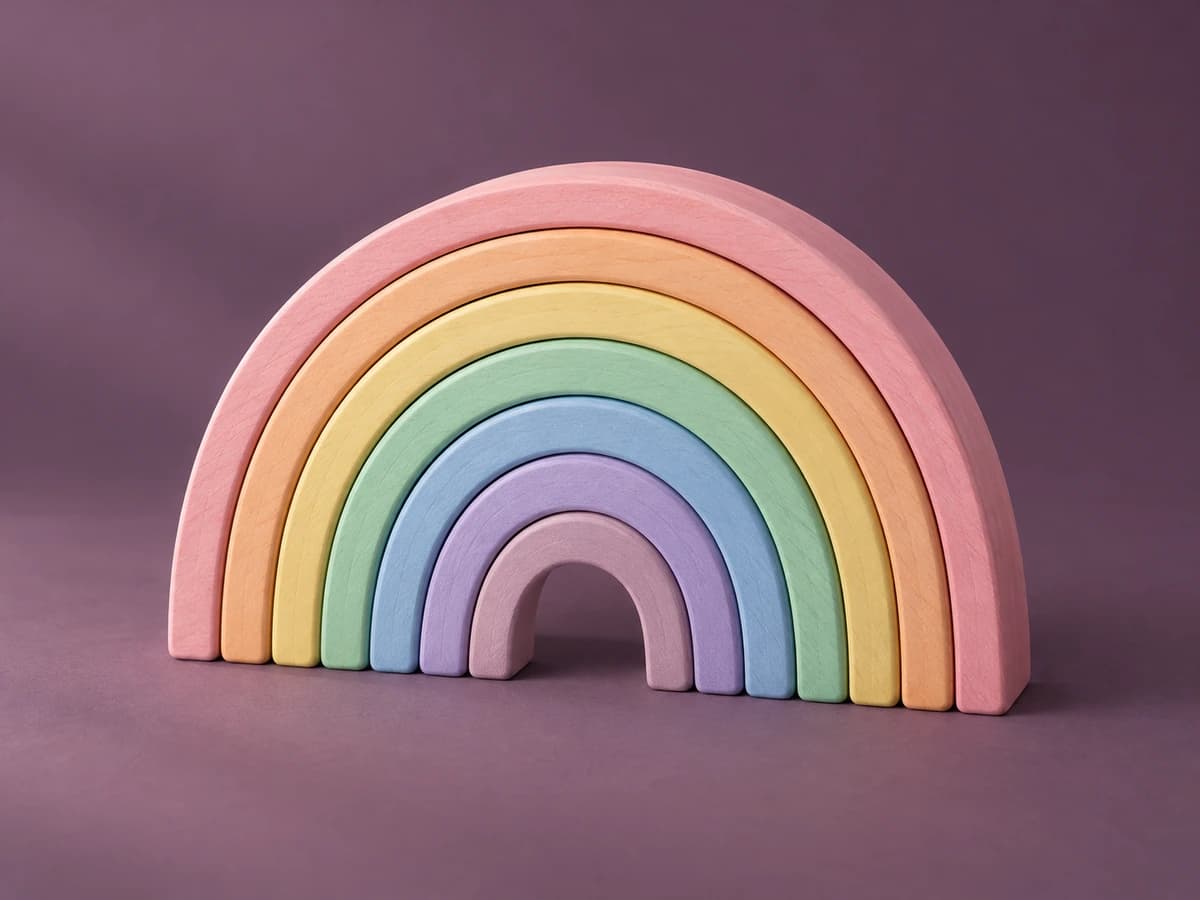
Featured product image
Weak
wooden toy
Stronger
Wooden stacking rainbow of seven curved arches in pastel colors
What to describe
Twelve before-and-after examples
These are examples, not fill-in-the-blank guarantees. Keep only the details that are visible and relevant in the actual product image.
Weak
wooden toy
Stronger
Wooden stacking rainbow of seven curved arches in pastel colors
Counts the pieces and names the colors and shape.
Weak
blocks
Stronger
Building block set spread out: about 100 colored bricks, two baseplates, and four figures
Lists what is pictured so shoppers know the contents.
Weak
teddy
Stronger
Light brown plush bear with a cream muzzle and a knitted red scarf
Color, features, and accessory distinguish similar plush toys.
Weak
puzzle
Stronger
Completed 24-piece floor puzzle showing farm animals around a red barn
Describes the finished image and the piece count shown on the box.
Weak
kid with toy
Stronger
Toddler pushing a wooden walker wagon filled with colored blocks
Product first, then how it's used, without claiming an age range.
Weak
stroller
Stronger
Black compact stroller with a gray canopy, folded upright beside the open version
Shows both states the image compares.
Weak
baby outfit
Stronger
White cotton-look baby bodysuit with short sleeves and a printed yellow duck
Describes the garment and print without asserting fabric.
Weak
mobile
Stronger
Crib mobile with felt clouds and stars hanging from a wooden hoop
Lists the visible pieces.
Weak
bowls and spoons
Stronger
Silicone-look suction bowl, plate, and two spoons in sage green
Counts items and color; 'silicone-look' avoids an unverified material.
Weak
box
Stronger
Front of the building set box showing the finished fire station and 'Ages 4+' label
Includes printed age text because it appears on the packaging, not as a claim.
Weak
rainbow blue
Stronger
Blue-tone version of the wooden stacking rainbow, seven arches
Clarifies the variant shown.
Weak
toy size
Stronger
Adult hand holding a palm-sized wooden toy car
The hand shows size without measurements.
Find before you fix
Product gallery pattern
Repeating the product name across six images hides the very information the gallery was designed to show.
Common mistakes
Weak
Safe non-toxic toy for 6 months+
Stronger
Wooden stacking rainbow of seven pastel arches
Age grading and safety testing must be stated in the verified description, not alt text.
Weak
Montessori toy that boosts brain development
Stronger
Child sorting colored wooden rings onto a peg stand
Describe what is visible, not outcomes.
Weak
Toy set
Stronger
Tea set with four cups, four saucers, and a teapot in pastel pink
Contents shots exist to show what's included.
Shopify workflow
Shopify recommends brief, descriptive text and currently supports product-media editing from the product details screen.
Alt text is contextual. A useful description for one page may be redundant or misleading on another.
From examples to updates in your Shopify store
Lumi connects image descriptions to a controlled Shopify catalog workflow rather than treating every generated suggestion as ready to publish.
Start with the free report to sample storefront pages for missing or weak image alt text, missing meta descriptions, and page-structure findings.
Generate contextual drafts, then edit and publish the content that fits each product.
Apply approved Shopify updates, use generation history, and retain eligible-plan records of completed alt-text fixes.
Frequently asked questions
Only when the age range is printed on packaging in the image. Otherwise, put the verified age grading in the product description.
List the main pieces and counts that are visible. If the full parts list is long, put it in the description and summarize in the alt text.
No. When gallery images show different angles, details, variants, packaging, or lifestyle context, the alt text should describe what is distinct about each image. A decorative or redundant image may instead need an empty alt attribute.
No. Useful alt text supports accessibility and helps search systems understand images, but the rest of your storefront matters too. Lumi uses Web Content Accessibility Guidelines (WCAG) as a reference without guaranteeing legal or ranking outcomes.
In Shopify Admin, open Products, choose a product, select a product media item, choose Add alt text, enter a brief description, and save. Shopify also supports alt text updates through product CSV workflows.
Continue the library
Describe gifts with the product or set contents, color, material, personalization, packaging, arrangement, and visible occasion cues without promising reactions or suitability.
View gifts and gift sets examplesWrite apparel alt text that identifies the garment and the visible details shoppers use to compare color, fabric, cut, fit, and styling.
View clothing examplesDescribe home products with type, color, visible material, shape, finish, construction, storage, and room context so shoppers can compare design and scale.
View furniture and home decor examples