
Free
$0No subscription charge
- 100 credits every month
- Product descriptions and image alt text
- Up to 10 products per batch
- Scan up to 10 storefront pages every 30 days
- Review every draft before publishing
Shopify catalog cleanup
Lumi finds the products missing a description, alt text, or SEO field, then drafts the fixes from your own product data and photos. You compare, edit, and decide what gets published to Shopify.
Free plan with 100 credits a month. No theme code or storefront scripts.
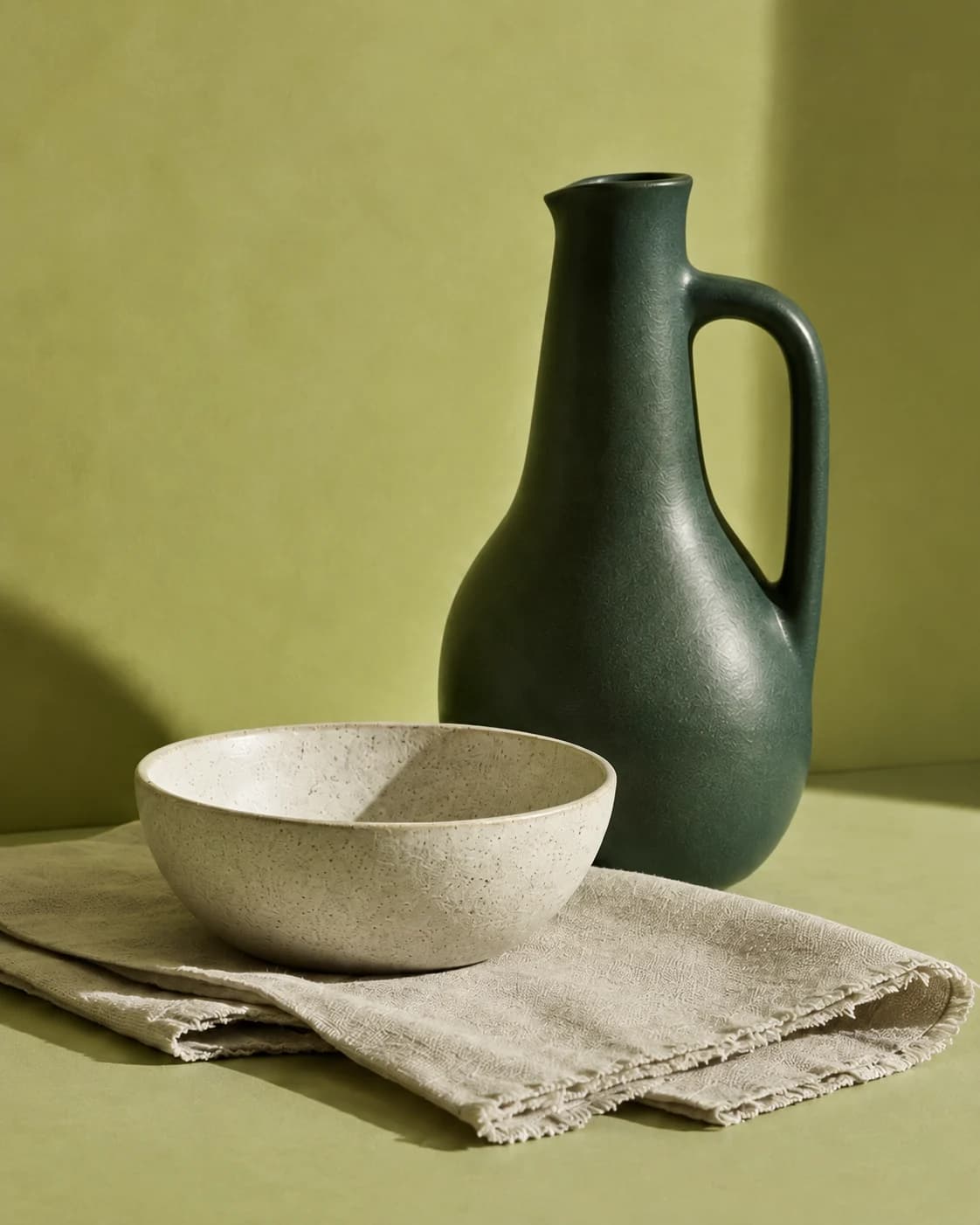
The everyday collection
Forest Green
Ceramic Pitcher
Before
Green ceramic pitcher.
Lumi draft
A forest-green ceramic pitcher with a generous rounded handle and an easy-pour spout. A simple addition to the everyday table.
Ready for your review
Sound familiar?
Your supplier sent the photos, but not the words. Alt text gets skipped. Descriptions stay one line long. SEO fields wait for a quieter week.
Soon hundreds of products need fixing, one at a time, so the cleanup keeps sliding to next month.
Lumi turns that backlog into a list you can finish: see the gaps, fix the worst first, approve the drafts you like, and publish to Shopify.
What Lumi writes for you
Work on one product or a whole batch. Descriptions and alt text are on every plan, including Free. Search titles and descriptions are on paid plans.
Drafted from your product's own details. Lumi is instructed not to invent certifications or warranties.
Stop starting from a blank page.Your product title is for shoppers. Your SEO title is for search. Lumi writes the second without touching the first.
Your product title stays put.The short summary under your search listing, drafted to fit the snippet.
Give searchers a reason to click.Written by looking at the actual photo, not copied from the product title. Publish it to product images and Shopify Files.
IMG_4471.jpg is not alt text.How it works
Five simple steps.
A lot less opening products one by one.
On install, Lumi counts the products missing descriptions, alt text, search titles, and search descriptions. Filter by vendor or collection and sort by most gaps to fix the worst first.
Pick products and fields. Lumi drafts descriptions from your product data and writes alt text by looking at each image. Paid plans add your brand voice and 17 languages.
Your approval is the publish button. See current and proposed copy side by side. Edit any word, regenerate when your plan includes that option, or skip it. Nothing from a batch you start reaches your store until you publish.
Publish one update or a whole batch into the native Shopify fields your theme already shows. No spreadsheets, no copy and paste, no theme code.
Lumi saves the original before it writes, so supported changes can be restored. Every run is logged. Paid plans can export completed alt-text fixes as a CSV.
You're in charge
Batches you start wait for you, with current and proposed copy side by side. Check the facts, tweak the wording, or toss it. Regenerate when your plan includes that option.
Filter by vendor, collection, or product type, sort by most gaps, and choose the fields.
Lumi saves the original before it writes, so eligible changes can be restored without overwriting a later edit.
Optional on Maintain
Stop rebuilding the backlog you just cleared. On Maintain, Lumi drafts the content you choose when you add a product and fills in missing alt text after updates. It only fills empty fields.
Drafts wait for your review. Or turn on auto-publish once you trust the output, and new products go live complete.
Why Lumi
A chatbot can write a description. It can't find the products missing one, publish to the right Shopify field, keep a record, or put the original back. Lumi does.
Accessibility, honestly
Lumi checks a sample of your public storefront pages, ranks what to fix first, and shows where each issue lives. It tells you what it checked and what still needs manual testing, then drafts alt text where that's the fix.
Read our accessibility guideSimple pricing
Try Lumi on the Free plan. Upgrade only when you need more.
$0No subscription charge
$79one-time
$19/month or $190/year
Only when you choose to. You pick the products and fields, batches you start create drafts, and your existing content stays as it is until you publish a replacement. Optional new-product automation only fills fields that are empty.
Credits count drafts, not products. An alt text, search title, or search description draft uses one credit. A product description draft uses two. If part of a batch fails, the finished drafts are kept and unused credits are returned. Compare plans and credits
Not by default. Batches you start always create drafts for review, and you compare the current and proposed copy before publishing. On Maintain, you can choose to turn on automatic publishing for new products and missing alt text.
Yes. Lumi saves the original Shopify value before it writes. For eligible updates, you can preview the previous Shopify value and restore it in a click. If someone edited that field after Lumi published, Lumi won't overwrite their edit.
Lumi drafts from your own product data and images, and it is instructed not to invent claims like certifications, warranties, or health benefits. You still review every draft from a batch you start before it goes live.
No. Lumi installs no scripts, widgets, overlays, or theme code on your storefront. It writes standard Shopify fields that your theme already displays.
No. Search titles go into Shopify's SEO title field. The product title shoppers see on your store is untouched.
Yes. The Free plan includes 100 credits every month for AI product descriptions and image alt text, so you can run the whole workflow (find, draft, review, publish) on real products. Paid plans add SEO fields, brand voice, more languages, and bigger batches, plus automation on Maintain.
Ready when you are
See your gaps for free, get drafts from your own product data, and decide what gets published.
Start free on ShopifyFree plan available. Installs from the Shopify App Store. No theme code, no storefront scripts.