
Featured product image
01Weak
tent
Stronger
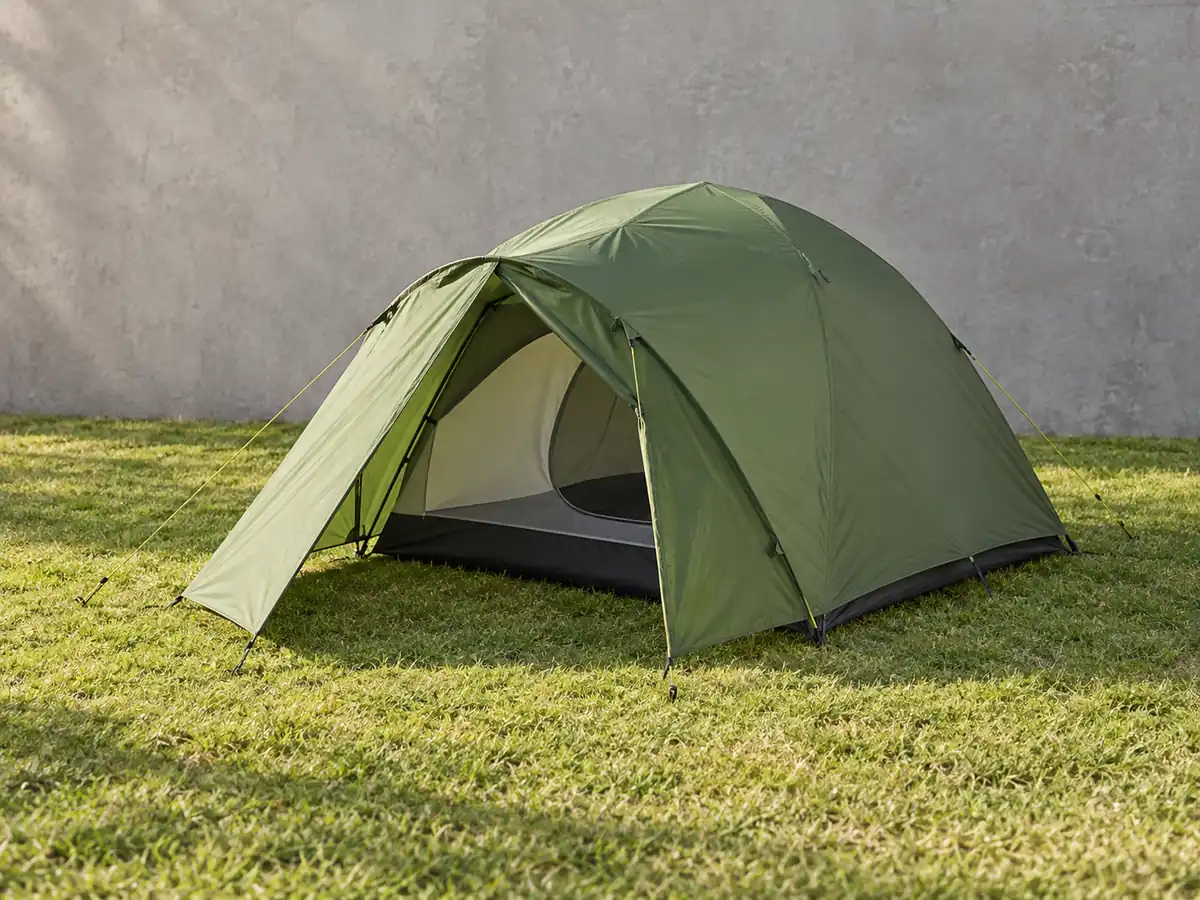
Two-person green dome tent with a rain fly and front vestibule, pitched on grass
Names capacity as marketed only through visible size, plus color, shape, and parts.
Describe gear by type, color, visible features, and how it looks in use, without guessing waterproof ratings, weight limits, or performance.
Illustrative examples. Adapt each description to the image and product context your shoppers actually receive.
Featured product image
Weak
tent
Stronger
Two-person green dome tent with a rain fly and front vestibule, pitched on grass
What to describe
Twelve before-and-after examples
These are examples, not fill-in-the-blank guarantees. Keep only the details that are visible and relevant in the actual product image.
Weak
tent
Stronger
Two-person green dome tent with a rain fly and front vestibule, pitched on grass
Names capacity as marketed only through visible size, plus color, shape, and parts.
Weak
tent bag
Stronger
Green dome tent packed into a compression stuff sack beside a water bottle for scale
The packed view and scale object show size without stating a weight.
Weak
backpack
Stronger
Gray hiking daypack with a padded hip belt, side mesh pockets, and trekking pole loops
Lists the visible features hikers compare.
Weak
mat
Stronger
Rolled purple yoga mat with a textured surface and carry strap
Describes color, surface, and the strap shown.
Weak
man running
Stronger
Runner on a trail wearing a black hydration vest with two front soft flasks
Product first, then the activity context.
Weak
bottle
Stronger
Matte orange insulated bottle with a loop-handle screw cap
Finish and cap style differentiate similar bottles; 'insulated' only if the listing confirms it.
Weak
bike part
Stronger
Close-up of a black mountain bike's rear derailleur and cassette
Names the specific component in the detail shot.
Weak
weights
Stronger
Pair of hexagonal black rubber-coated dumbbells with chrome handles
Shape, finish, and handle describe the item without guessing weight.
Weak
jacket
Stronger
Red hooded shell jacket with taped seams and chest zip pocket, front view
Lists visible construction details instead of a waterproof rating.
Weak
chair
Stronger
Folding blue camp chair with armrest cup holder, open beside a campfire
Describes the chair and setting.
Weak
mat green
Stronger
Forest green version of the textured yoga mat, unrolled
Clarifies the variant shown.
Weak
size chart
Stronger
Backpack torso length chart for sizes S to L, measurements listed below
Points to the on-page text version of the chart, as WCAG 1.4.5 expects.
Find before you fix
Product gallery pattern
Repeating the product name across six images hides the very information the gallery was designed to show.
Common mistakes
Weak
100% waterproof 10,000mm tent
Stronger
Green dome tent with a full-coverage rain fly
Ratings belong in the verified description, not inferred from a photo.
Weak
Beautiful mountain sunset
Stronger
Orange tent pitched on a ridge at sunset
Lead with the product the image is selling.
Weak
Ultralight 2 lb tent
Stronger
Green tent packed into a small stuff sack beside a water bottle
Show size with a scale object; state weight only where confirmed.
Shopify workflow
Shopify recommends brief, descriptive text and currently supports product-media editing from the product details screen.
Alt text is contextual. A useful description for one page may be redundant or misleading on another.
From examples to updates in your Shopify store
Lumi connects image descriptions to a controlled Shopify catalog workflow rather than treating every generated suggestion as ready to publish.
Start with the free report to sample storefront pages for missing or weak image alt text, missing meta descriptions, and page-structure findings.
Generate contextual drafts, then edit and publish the content that fits each product.
Apply approved Shopify updates, use generation history, and retain eligible-plan records of completed alt-text fixes.
Frequently asked questions
No. A photo can't prove a rating. Put verified ratings in the product description and describe visible features in the alt text.
Name the product and what it's doing in the scene, such as 'runner wearing a black hydration vest on a trail.' Keep scenery brief.
No. When gallery images show different angles, details, variants, packaging, or lifestyle context, the alt text should describe what is distinct about each image. A decorative or redundant image may instead need an empty alt attribute.
No. Useful alt text supports accessibility and helps search systems understand images, but the rest of your storefront matters too. Lumi uses Web Content Accessibility Guidelines (WCAG) as a reference without guaranteeing legal or ranking outcomes.
In Shopify Admin, open Products, choose a product, select a product media item, choose Add alt text, enter a brief description, and save. Shopify also supports alt text updates through product CSV workflows.
Continue the library
Write apparel alt text that identifies the garment and the visible details shoppers use to compare color, fabric, cut, fit, and styling.
View clothing examplesHelp shoppers distinguish footwear by style, color, visible material, closure, toe shape, sole, heel, and the specific angle shown.
View shoes examplesDescribe electronics with device type, color, form, controls, ports, included accessories, view, and visible use without guessing specifications or compatibility.
View electronics examples